|
Purpose:
Provide a resource where a technician could find detailed configuration information on Telex RoIP Components and C-Soft Console Operations.
Synopsis:
All of these videos are a crash course in the configuration of a basic Telex RoIP Dispatch System Component. The C-Soft and IP-224 videos are a detailed look at basic configuration for every setting. The RoIP System Maintenance video is a look at how to align and provide a base line for system monitoring, maintenance, documentation and backup best practices.
All of the videos are based around doing a system update from a simple 2175Hz wireline environment to an IP based system using Tone and Console Modes to provide legacy integration.
Background:
We launched a live On-Line Training Class in 2013 called “Telex RoIP Boot Camp”. This was an intense 2-day session covering over 150 pages of training material. In addition, there were live presentations of hardware and software configuration, RoIP System Design and Maintenance using multiple HD Cameras to show live demonstrations.
In 2017 we started to record and archive all of the presentations and did so until the class was retired in 2020.
All of these videos are based on that archived content.
Also remember C-Soft 7 was the current version of C-Soft at the time so some of the screens may not match C-Soft 8. TSM and IP-223/IP-224 Screens may different as well.
The class was an immersion into a RoIP System Upgrade for the fictious Roads and Parks departments in the city of Shorehill. The class started with a single C-1610 Tone Console feeding a DSP-223 via a leased line. The goal was to incorporate Parks into a new Roads Telex Dispatch System.
Each video cover different parts of a RoIP System and are an introduction to the essential elements of each component.
Most of the Basic Button configurations have not changed and are functionally the same in C-Soft 8.6.
This is a downloadable file, BootCampDemo2026.zip that includes the C-Soft Console and a set of hardware configuration files used in the videos.
Video Topics:
- Essential C-Soft Designer Console Configuration
- Essential C-Soft Designer Console Button Overview.
- Essential IP-224 Configuration
- Essential RoIP System Maintenance
title:
Essential C-Soft Designer Console Configuration
This video covers the global C-Soft Designer configuration requirements for each setting in a C-Soft Console. We use all of the settings that are required to build a basic console. We begin with choosing the parameters needed to build the console required for our project. This includes configuring Radio Line Type and Name, IP and Multicast Addressing as well as Vocoder, Line Options and Signal Setup information. We discuss setting up Frequency Names, User IDs and Global Parameter Tab Settings. These settings must be configured before doing any Button configuration.
title:
Essential C-Soft Designer Console Button Overview
This video goes through all of the C-Soft Buttons required to build a basic Console. We begin with choosing the parameters needed to build the console required for our project. We identify the basic requirements for our upgrade project. Once the basic information has been gathered, we configure each Button element in C-Soft Designer. After the programming has been discussed we go through what each Button does in C-Soft Runtime.
title:
Essential IP-224 Configuration
This video walks through each programming screen for the IP-224. We discuss each setting on each screen. We demonstrate what parameters are available and what they do. This includes configuration differences between Tone and Console Mode settings.
title: Essential RoIP System Maintenance
This video covers the establishment of best maintenance and backup practices for insuring the reliable operation of a Telex RoIP Dispatch System. In addition, we discuss the value of audio alignment in a RoIP system. The levels of 0dbm and -10dbm are important for system audio levels because the CODEC used in RoIP is designed to operate at a 0dbm level. exceeding this level can result in distorted audio on the Ethernet Network. Using a level below 0dbm can result in increased noise in the Network audio. We cover backups and the need for firmware updates and addressing Windows or virus software updates.
Phase
4 Design - Telex RoIP Boot Camp
This video presents Section One “Telex System Network Requirements” of our Telex RoIP Boot Camp Training Guide.
It asks the question, what does it take to connect this all together?
The video covers everything that is involved with interfacing an IP-224 to a Radio as well as the Ethernet connection to the C-Soft console. This video shows how a signal gets from a Radio to C-Soft and back. We discuss in detail how to connect the audio and signaling from a Radio to the IP-224.
There is a discussion on Ethernet Network operations including Packet transport, routing and buffering in a RoIP system. We discuss how Multicast works and how it is different from Unicast and how to insure the transport of Wide Area Telex RoIP Audio Packets. This video covers UDP and TCP packets, Ethernet Network Limits, Subnet types, Quality of Service and which Ethernet Protocols are required to setup a RoIP Network.
I have transformed Section 1 of the live class into an On Demand multi-media presentation. The length is ~77mins.
Section 1 - Telex System Network Requirements.
Use Code: 
The printed guide that accompanies this video is available for purchase.
Our "RoIP Boot Camp Training Kit" includes the printed RoIP Boot Camp Training Guide as well as all available Telex software, firmware and documentation on our Telex Toolbox flash drive.
Phase
4 Design - RoIP Video Packets
The following videos are "Packets" of information extracted from the full RoIP Boot Camp video to highlight a specific topic.
title: IP Host Location, Subnet and Addressing
This Packet is a discussion on how an IP Host is located. Every IP Host must have an IP Address. A Subnet defines a group of IP Hosts. The Netmask defines the size of the group. We talk about different types of IP Addresses and Ports, including where they are used in terms of the Intranet or Internet.
title: IP Protocols, Ports, Packets and Transport
This Packet is a discussion on how IP Hosts communicate. A Media Access Control (MAC) Address is required for Host to Host communications within a Local Area Network (LAN) Subnet. An IP Address is required to cross LAN Subnet Boundries. A Router combines multiple LAN Subnets into a Wide Area Network (WAN).
title: IP-224 Audio Levels, AGC and 2175Hz Tone Control
This Packet is a discussion on how audio levels are configured in a Telex RoIP Dispatch System, both on the Analog Radio side and the IP-224 Network side. Levels become more important when 2175Hz Tone Remote Control (TRC) signaling is involved. Sending audio across an IP Network requires standard levels on the Network as well as Analog interface to the IP-224. In the TRC configuration there is an implied -20dbm 2175Hz key tone level required at the input of the TRC Remote device.
title:A Project Manager can be the key to success
This Packet is a discussion on integration project managment and what should be addressed in planning. I have always stressed the need to assign a
project manager for any integration task. Who you include in the planning stage can be critical to success. The Project Manager should define a Statement of Work and timeline for the integration.
Are you Interested in Comprehensive Basic 2-Way Radio Training?
Version 3 of On Demand Basic 2-Way Radio Training has been release.
We offer an On Demand Training Class for technicians that
cover Basic 2-Way Radio Essentials. In 8 videos we go from from Ohm's Law to R-56 Site
Best Practices.
The Training Kit includes a 250+ page Reference Guide plus a tools and resources flash drive.
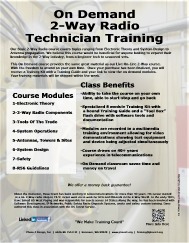 << Click image to view full size flyer << Click image to view full size flyer
Click here for more information
___________________________________________________________________
|